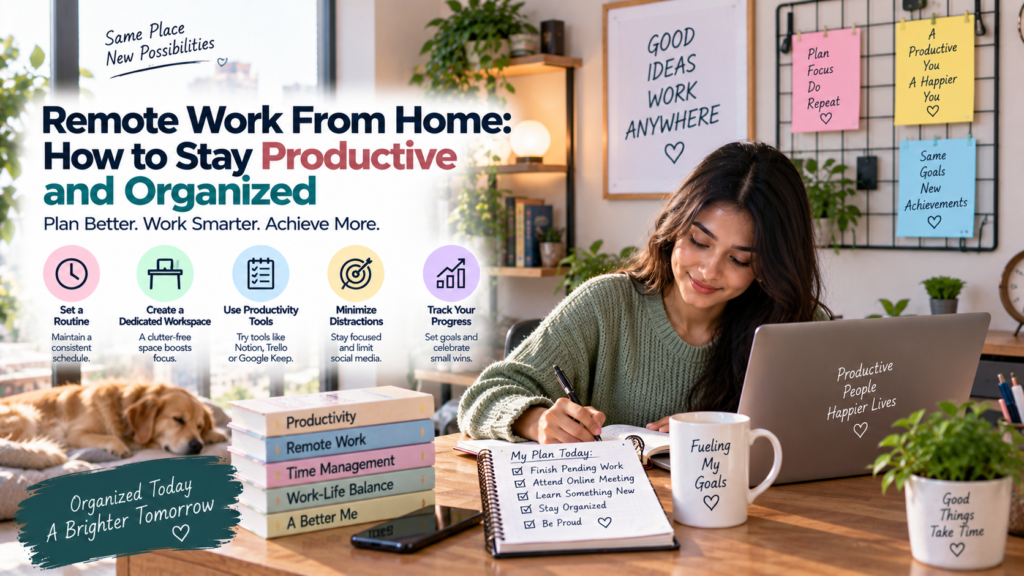

Learn how to stay productive and organized while working from home. Discover practical remote work tips for managing time, tasks, communication, focus, and work-life balance.
Remote work from home offers flexibility, convenience, and the ability to work without a daily commute. However, working outside a traditional office also requires employees to manage their time, tasks, communication, and workspace more independently.
Without a clear routine, household responsibilities, social media, notifications, and other distractions can make it difficult to stay focused. Poor organisation can also lead to missed deadlines, unnecessary stress, and difficulty separating professional responsibilities from personal time.
The good news is that productivity does not require working continuously or following a complicated system. Simple habits such as planning your day, organising tasks, creating a dedicated workspace, communicating clearly, and taking regular breaks can make remote work more manageable.
Create a Consistent Work Routine
A consistent routine can provide structure to the remote workday.
Try to begin and finish work at approximately the same times when your job allows it. Having predictable working hours can help your mind recognise when it is time to focus and when it is time to relax.
Your routine does not need to copy a traditional office schedule. The goal is to create a pattern that supports your responsibilities, energy levels, and employer’s expectations.
Set Up a Dedicated Workspace
A dedicated workspace can help create a clear boundary between work and personal activities.
If possible, choose a quiet and comfortable area where you can keep your computer, documents, and work equipment organised. A separate room is useful but not essential.
Even a small desk or clearly defined section of a room can work. Keeping the area organised can also reduce the time spent searching for items during the workday.
Keep Your Workspace Simple
A crowded workspace can create unnecessary distractions.
Keep only the items you regularly need nearby. Organise documents digitally and physically so that important information can be found quickly.
At the end of the workday, spend a few minutes putting things back in order. Starting the next morning with a clean workspace can make it easier to begin working.
Plan Your Day Before You Start
A daily plan can help you understand what needs to be completed.
At the beginning of the day, review meetings, deadlines, ongoing projects, and urgent tasks. Then identify the most important activities you need to complete.
Avoid creating a huge list that is impossible to finish. A short list of realistic priorities can be more useful than dozens of tasks competing for attention.
Prioritize Important Tasks
Not every task requires the same level of attention.
Identify tasks that are urgent, important, or directly connected to major deadlines. Complete high-priority work during periods when you are most focused.
Smaller administrative tasks can often be handled later.
Prioritisation helps prevent the workday from being consumed by easy tasks while important projects remain unfinished.
Break Large Projects Into Smaller Tasks
Large projects can feel overwhelming when viewed as one large responsibility.
Break them into smaller steps. For example, instead of writing “complete project report,” create tasks such as research information, prepare an outline, write the first section, review the content, and complete the final version.
Smaller tasks make progress easier to track and can help reduce procrastination.
Use a Task Management System
A task-management system can help you keep track of responsibilities.
You can use a simple notebook, calendar, spreadsheet, or digital task-management application. The specific tool matters less than using it consistently.
Record deadlines and important follow-up tasks in one reliable place. Avoid keeping critical reminders across multiple disconnected systems if that makes information harder to find.
Use a Calendar Effectively
A calendar is useful for more than meetings.
Use it to track deadlines, appointments, planned focus periods, important follow-ups, and other time-sensitive responsibilities.
Avoid filling every minute of the day with scheduled activities. Leave some flexibility for unexpected requests, technical problems, and tasks that take longer than expected.
Limit Digital Distractions
Digital distractions can significantly interrupt concentration.
Social media, personal notifications, news websites, shopping applications, and unrelated messages can quickly consume working time.
Consider turning off non-essential notifications during focused work periods. Keep personal devices away when they are not needed for your work.
You do not need to eliminate every distraction. The goal is to make unnecessary interruptions less convenient.
Use Focused Work Sessions
Working for long periods without a break does not always produce better results.
Try dividing your workday into focused sessions. During each session, concentrate on one important task and avoid unnecessary switching between applications.
After completing a focused period, take a short break before returning to work.
You can experiment with different session lengths and find a schedule that suits your type of work.
Avoid Excessive Multitasking
Multitasking can make it harder to maintain concentration, particularly when tasks require careful thinking.
Instead of constantly switching between emails, meetings, messages, and project work, group similar activities together when possible.
For example, you might dedicate specific periods to checking email and messages rather than responding to every notification immediately.
This approach can help protect periods of uninterrupted work.
Manage Email and Messages
Remote workers often receive information through several communication channels.
Checking every message immediately can interrupt important work. Instead, establish reasonable times to review email and non-urgent messages.
However, follow your organisation’s expectations. Some roles require rapid responses, especially in customer support, operations, or time-sensitive teams.
The goal is to balance responsiveness with focused work.
Communicate Your Availability
Remote colleagues cannot always tell whether you are available.
Use appropriate status indicators, calendars, or team communication tools to show when you are working, in a meeting, taking a break, or unavailable for focused work.
Clear availability information can reduce unnecessary interruptions and help colleagues understand when they can expect a response.
Keep Meetings Focused
Meetings can become a major source of lost productivity when they lack a clear purpose.
Before attending a meeting, understand why it is being held and what is expected from you. If you are responsible for organising the meeting, provide an agenda when appropriate.
Take brief notes about decisions, responsibilities, and deadlines.
After the meeting, record any tasks assigned to you so that they do not get forgotten.
Communicate Clearly With Your Team
Good communication is essential for remote productivity.
When sending a message, provide enough context for the other person to understand what you need. Clearly explain the issue, relevant details, and any deadline involved.
If you encounter a problem that could delay your work, communicate it early rather than waiting until the deadline is close.
Clear communication can reduce misunderstandings and unnecessary back-and-forth messages.
Keep Files and Folders Organized
Digital organisation is just as important as physical organisation when working remotely.
Create a logical folder structure for projects, documents, images, reports, and other work files. Use clear file names so that you can identify documents quickly.
Avoid keeping multiple confusing versions of the same file. Where appropriate, use shared drives, version-control systems, or collaboration platforms provided by your organisation.
Back Up Important Work
Important files should not exist in only one location when your organisation’s policies allow appropriate backup practices.
Use approved cloud storage, company systems, or other secure backup methods. Make sure you understand your employer’s rules for storing confidential information.
Do not transfer sensitive company files to personal accounts or unauthorised storage services simply for convenience.
Take Regular Breaks
Breaks are an important part of a sustainable work routine.
Standing up, walking around, stretching, getting water, or briefly stepping away from the screen can help break up long periods of sitting and screen use.
A short break does not mean you are being unproductive. Returning to work with renewed attention can be more useful than continuing when concentration has dropped.
Protect Your Physical Comfort
Your work environment can affect your ability to stay productive.
Pay attention to your sitting position, screen placement, lighting, keyboard, mouse, and overall comfort. Adjust your workspace where possible to reduce unnecessary physical strain.
If you spend many hours at a computer, changing positions and taking movement breaks can be useful parts of your daily routine.
Maintain Work-Life Boundaries
One of the biggest challenges of working from home is knowing when to stop working.
When your workplace and home are in the same location, it can be tempting to continue checking emails or completing tasks after your scheduled hours.
Create a clear end-of-day routine. Close work applications, organise tomorrow’s priorities, and step away from your workspace when your working hours are finished whenever possible.
Avoid Working All Day Without Structure
Remote flexibility does not mean you need to remain available every minute.
Working continuously can lead to fatigue and make it harder to maintain concentration.
Plan reasonable working hours and breaks. If your job requires specific availability, follow those expectations while still using appropriate breaks and routines.
Manage Household Distractions
Working from home can involve interruptions from family members, roommates, pets, deliveries, household chores, or other responsibilities.
Where possible, communicate your working hours to people you live with. A closed door, headphones, or a visible signal can help communicate that you are concentrating.
It is also useful to schedule household tasks outside important work periods when your circumstances allow.
Stay Connected With Colleagues
Remote work can sometimes feel isolated.
Regular communication with colleagues can support collaboration and help maintain a sense of connection. Use appropriate team meetings, professional chats, and informal conversations according to your workplace culture.
Staying connected also makes it easier to ask questions and understand what is happening across the team.
Set Weekly Goals
Daily task lists are useful, but weekly goals can provide a broader view of your workload.
At the beginning of each week, identify the major outcomes you need to achieve. Then break those outcomes into daily tasks.
At the end of the week, review what you completed and what still needs attention.
This process can help you identify patterns in your workload and improve future planning.
Track Your Progress
Tracking progress can help you understand how you actually spend your time.
You do not need to record every minute. Simply reviewing completed tasks, project milestones, and deadlines can show whether your current system is working.
If certain tasks regularly take longer than expected, adjust your planning rather than repeatedly creating unrealistic schedules.
Learn to Say No to Unnecessary Work
Remote employees may receive requests from several people at the same time.
When your workload is already full, accepting every request can create unnecessary pressure.
If appropriate, explain your existing priorities and ask which task should take precedence. This gives your manager or team a clearer picture of your workload.
Professional prioritisation is better than quietly accepting too much work and missing important deadlines.
Improve Your Digital Skills
Productivity becomes easier when you understand the tools you use.
Learn the features of your organisation’s communication, calendar, document, spreadsheet, project-management, and collaboration systems.
You do not need to become an expert in every application. Focus on features that help you complete everyday responsibilities more efficiently.
Protect Your Online Security
Productivity should not come at the expense of cybersecurity.
Use strong passwords, enable multi-factor authentication where available, keep software updated, and be careful with unexpected links or attachments.
Follow your employer’s security policies, particularly when accessing company systems from home.
Good security habits protect both your work and the organisation.
Review Your Routine Regularly
A productivity system should change when your responsibilities change.
At the end of each week or month, consider what worked well and what created problems.
Maybe you need fewer meetings, better file organisation, longer focus periods, or clearer daily priorities. Make small adjustments rather than completely changing your system every few days.
Build a Sustainable Remote Work Habit
The goal of productivity is not to complete as much work as possible every day.
A sustainable remote work routine helps you complete important responsibilities while maintaining reasonable boundaries and energy.
Focus on consistent habits rather than perfection. A simple routine that you can follow every day is generally more useful than a complicated productivity system that becomes difficult to maintain.
Sources
- https://www.cdc.gov/niosh/workplace-health-promotion/about/index.html
- https://www.who.int/news-room/fact-sheets/detail/physical-activity
- https://www.nhlbi.nih.gov/health/sleep-deprivation/healthy-sleep-habits
- https://www.cisa.gov/secure-our-world
- https://www.osha.gov/etools/computer-workstations
Conclusion
Staying productive and organized while working from home requires structure, communication, and consistent habits. Creating a dedicated workspace, planning priorities, managing digital distractions, organising files, taking breaks, and setting clear work-life boundaries can make remote work easier to manage.
You do not need a perfect productivity system. Start with a few practical habits, observe what works for your responsibilities, and gradually improve your routine.
With the right approach, working from home can provide flexibility while still allowing you to remain organised, focused, and dependable.
FAQs
1. How can I stay productive while working from home?
Create a consistent routine, set daily priorities, organise your workspace, limit distractions, and take regular breaks. A simple system that you follow consistently can improve productivity.
2. How do I avoid distractions when working remotely?
Keep non-essential notifications turned off, create a dedicated workspace, communicate your working hours to others, and schedule personal activities outside important work periods.
3. Should I have a separate workspace for remote work?
A separate room is helpful but not necessary. A dedicated desk or clearly defined work area can also create a useful boundary between work and personal activities.
4. How should I organise my remote work tasks?
Use a task list, calendar, spreadsheet, or digital task-management tool. Prioritise important deadlines and break larger projects into smaller, manageable tasks.
5. How often should I take breaks while working from home?
Take regular short breaks based on your work demands and personal needs. Standing, walking, stretching, and stepping away from the screen can help break up long periods of sedentary work.
6. How can I manage remote work meetings?
Understand the purpose of each meeting, prepare beforehand, keep discussions focused, and record important decisions and follow-up tasks.
7. How can I maintain work-life balance while working from home?
Set clear working hours, create an end-of-day routine, and step away from your workspace after work whenever possible. Avoid regularly extending your workday without a genuine need.
8. What tools can help with remote productivity?
Calendars, task-management applications, shared documents, cloud storage, communication platforms, and project-management tools can all support remote productivity.
9. How can I stay organised with digital files?
Use clear folder structures, descriptive file names, consistent naming conventions, and approved storage systems. Remove unnecessary duplicates and keep important project files easy to locate.
10. Is working from home more productive than working in an office?
Productivity depends on the individual, job, work environment, management practices, and other factors. Remote work can be highly productive when employees have suitable systems, communication, resources, and working conditions.